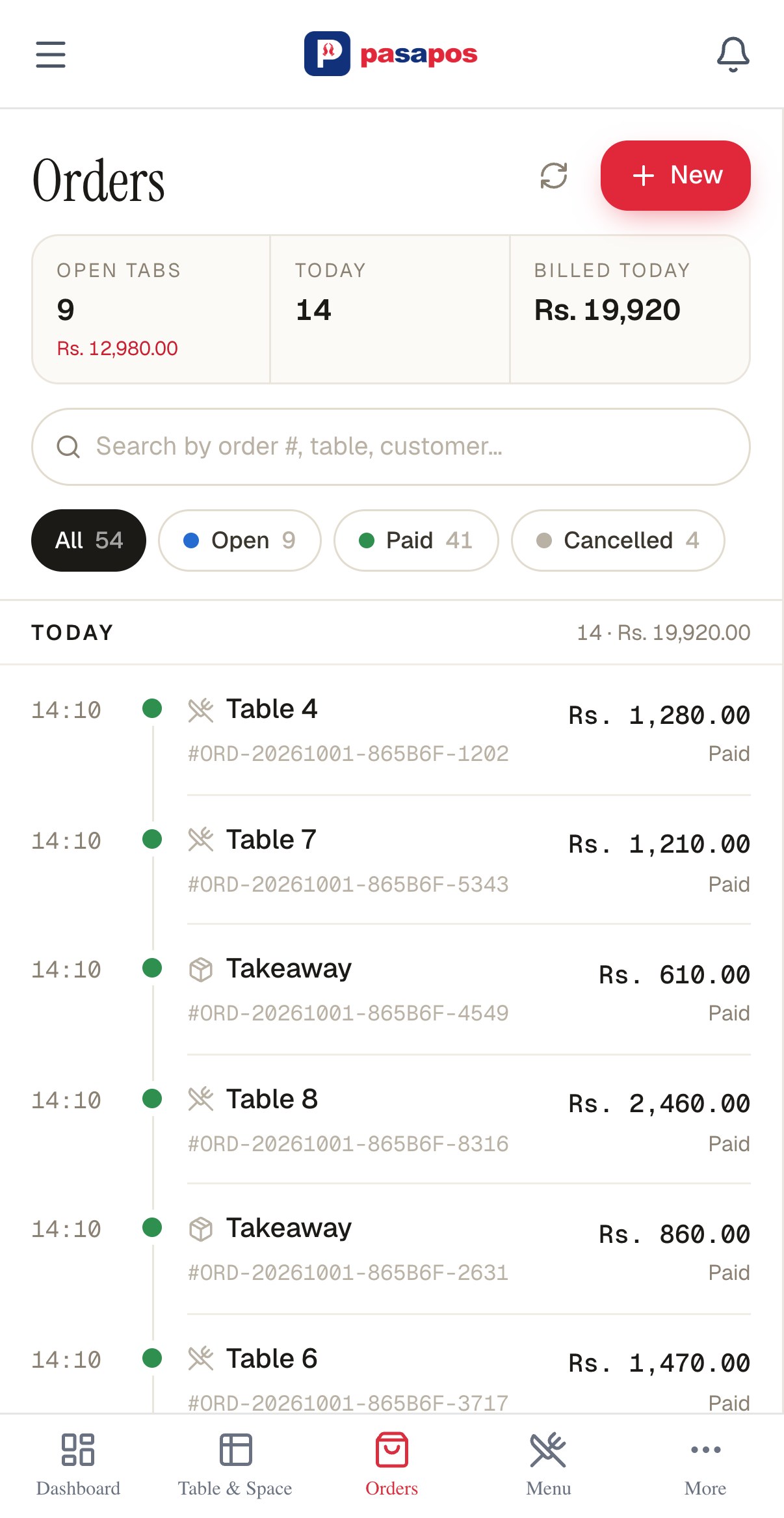
Seat them.
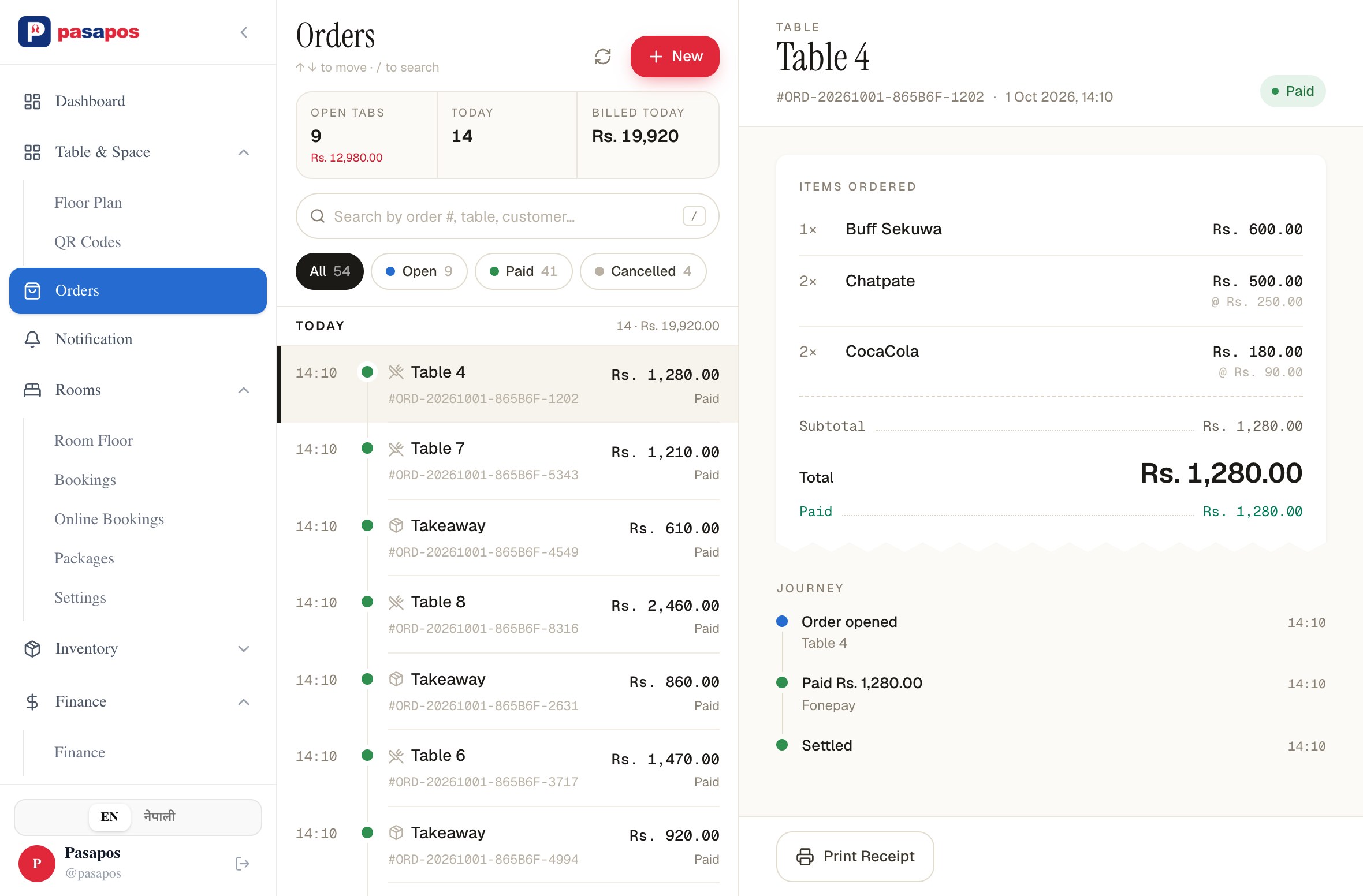
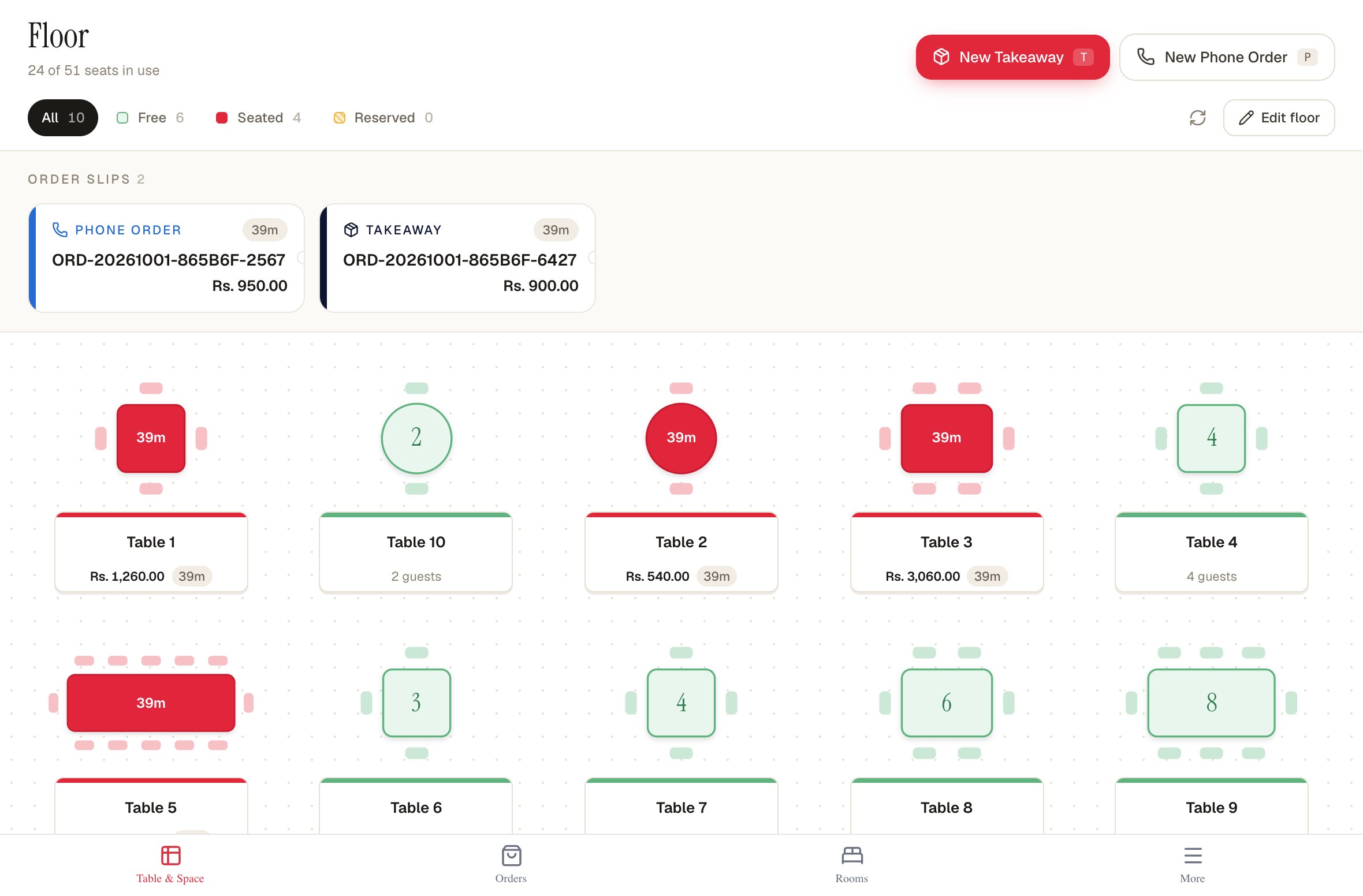
See every table at a glance — who's sitting, how long they've been there, and what's already on their bill. Takeaway and phone orders stay visible too, so nothing gets missed.
You run the shop.
We keep the numbers in order.
Tables, bills, stock and udharo — all in one simple system. Use it on the phone or laptop you already own. Open your shop in the morning, close it at night, and always know what was sold, what's in stock, and what's still owed.
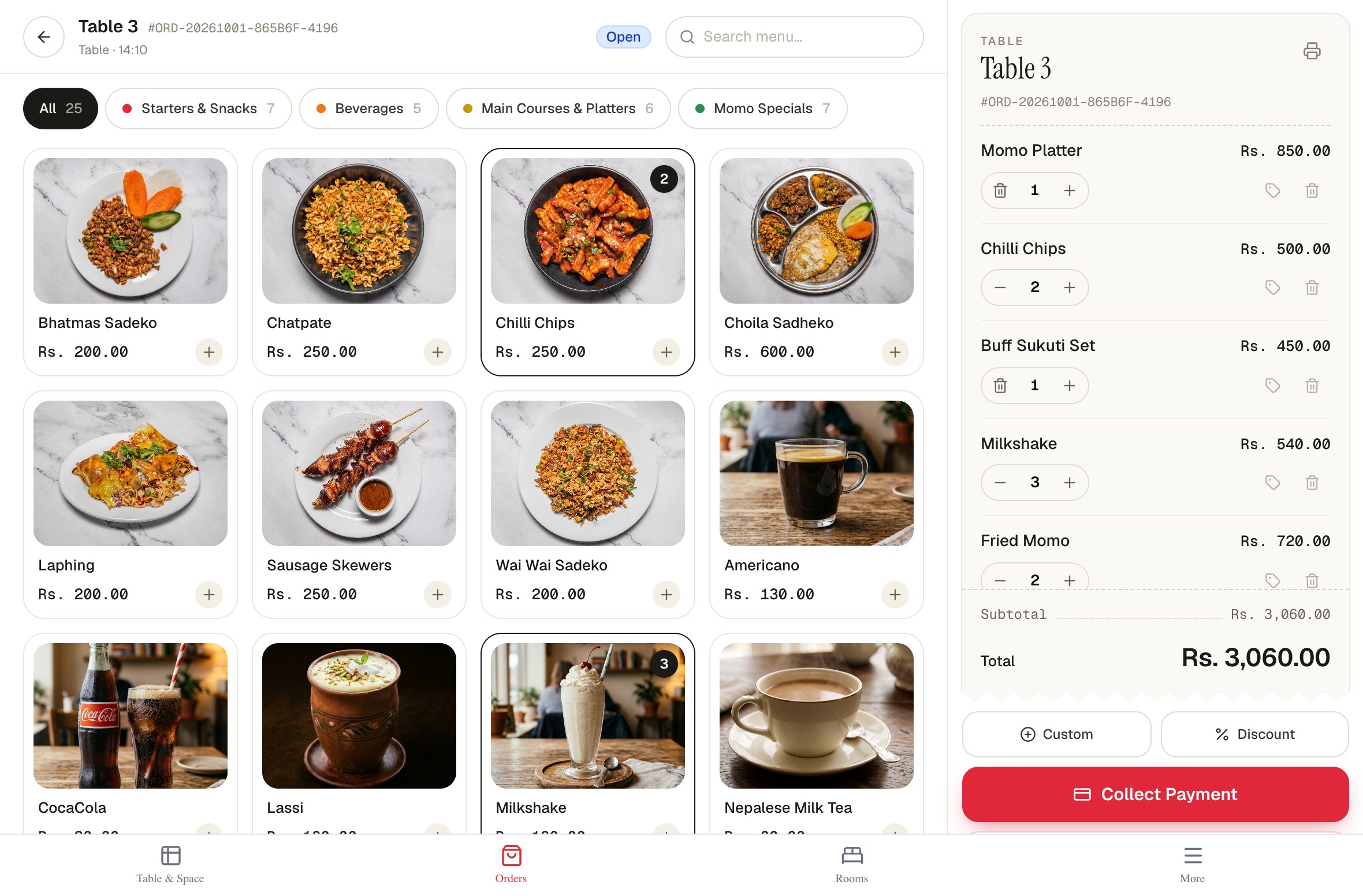
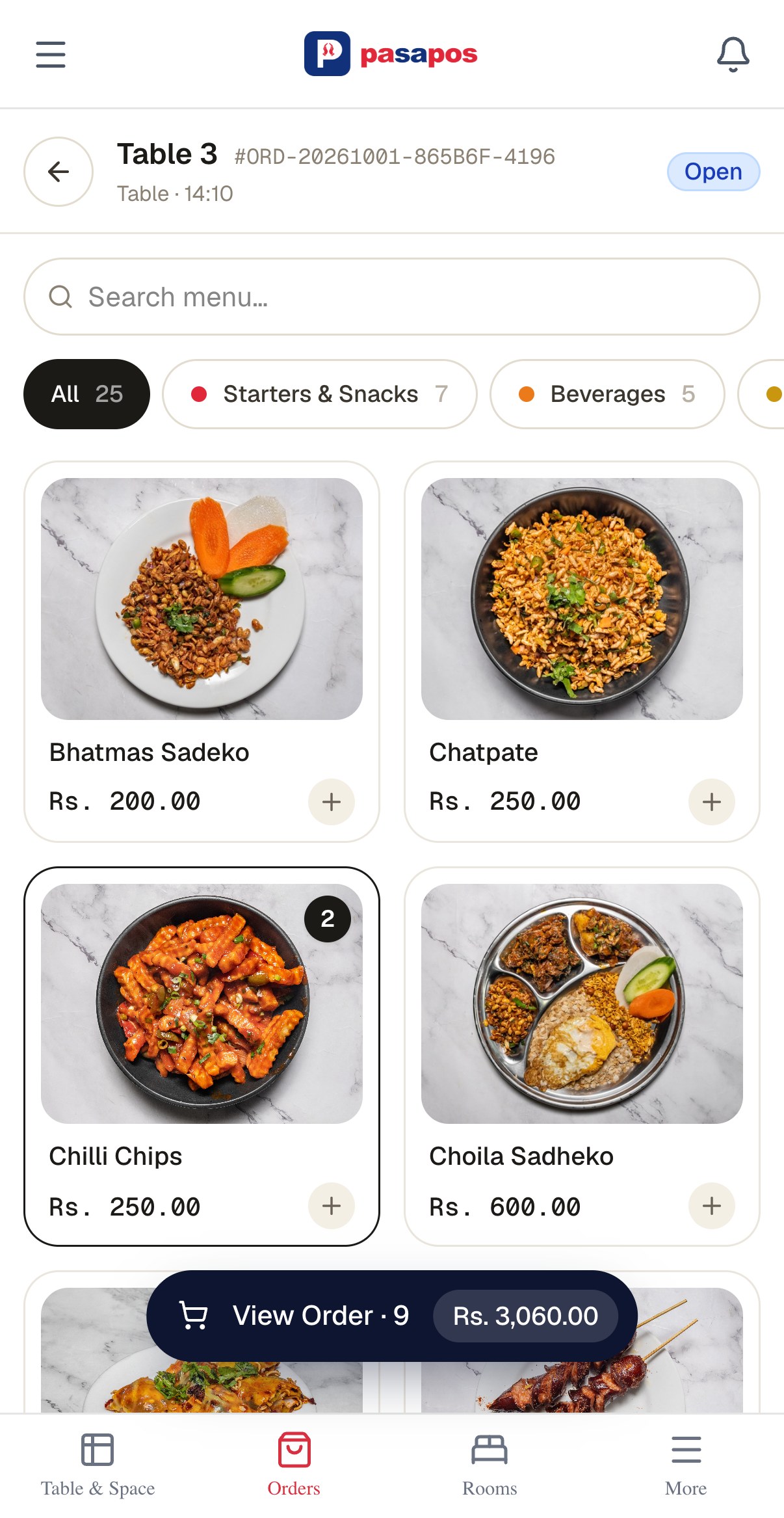
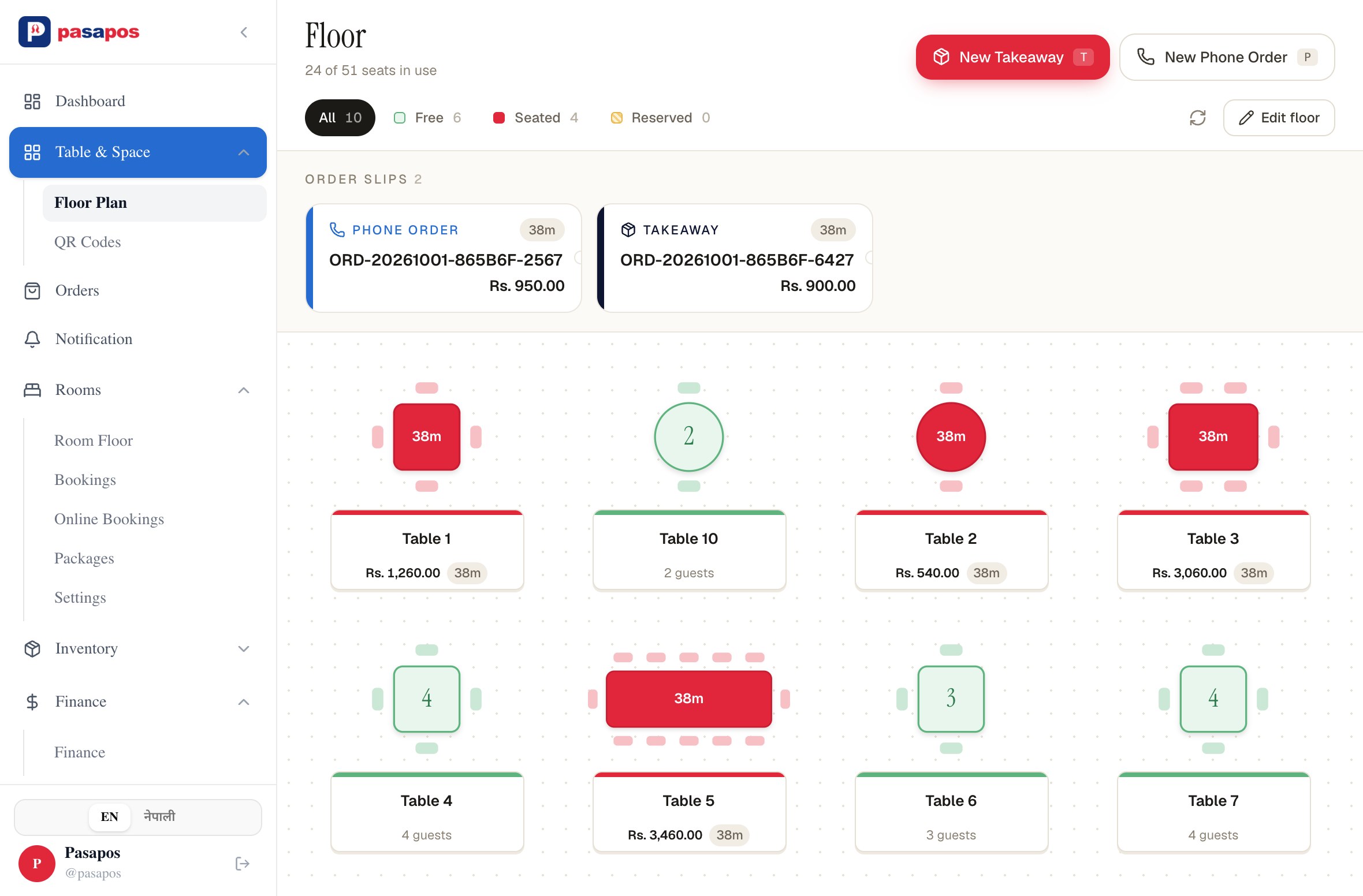
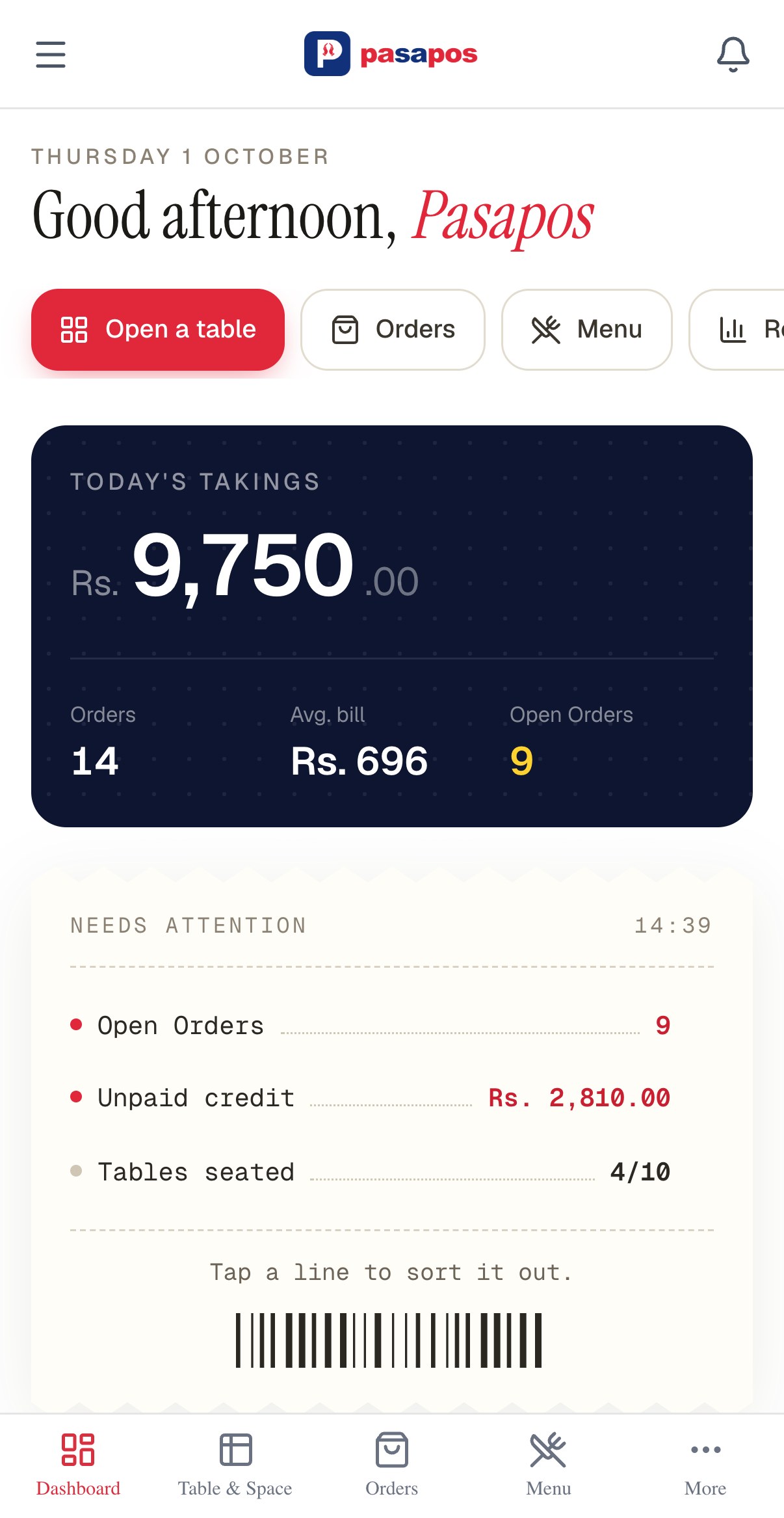
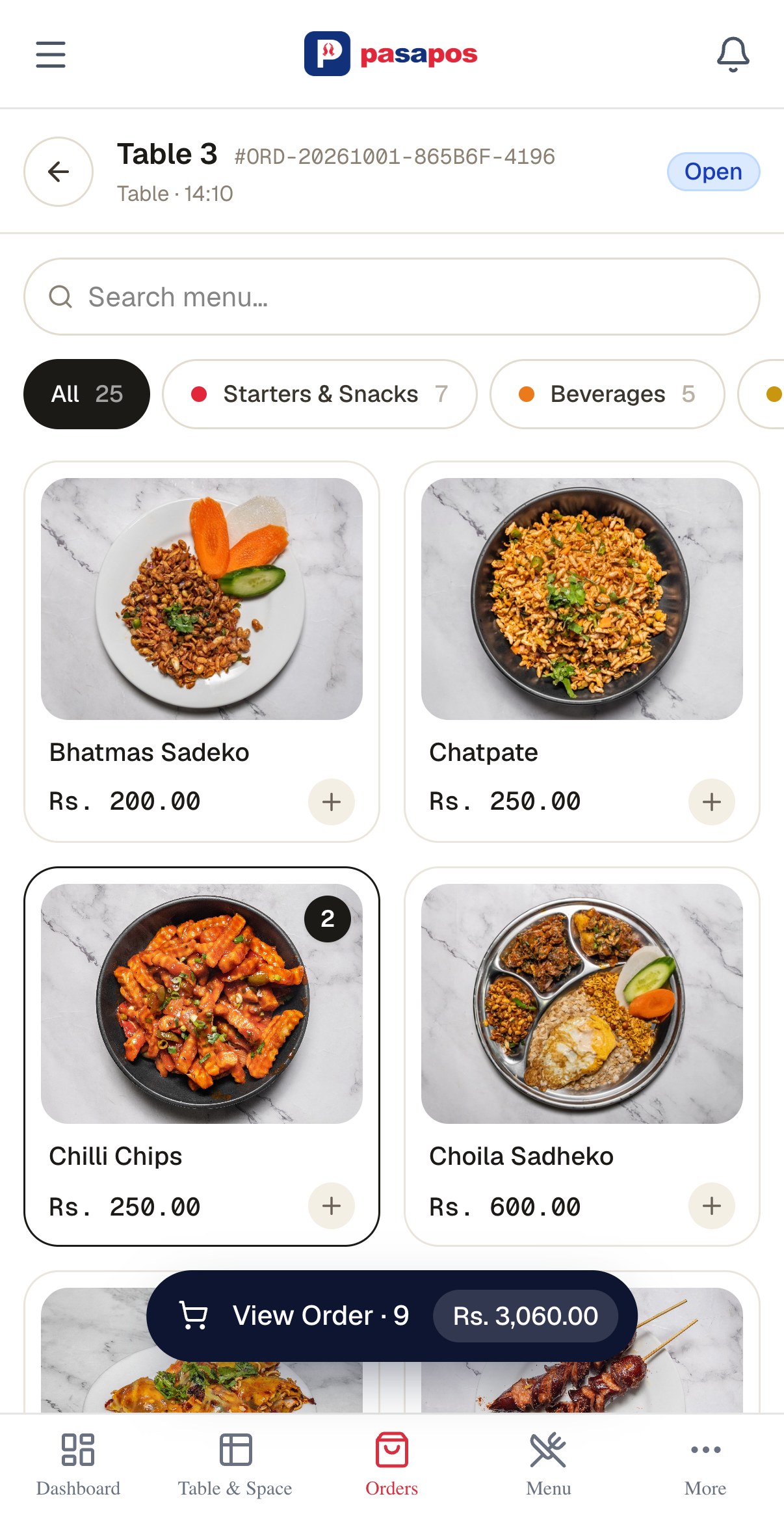
Fig. 1Table 3 at 14:10. Five dishes on the bill, Rs. 3,060.00 waiting to be collected. Same order on the phone, left.
Three simple steps, from seating to payment. No complicated training or manuals — if you can take an order on paper, you can take one here.
See every table at a glance — who's sitting, how long they've been there, and what's already on their bill. Takeaway and phone orders stay visible too, so nothing gets missed.
Find dishes quickly, grouped the way your kitchen works — momo, khaja, thakali, drinks and more. Tap to add, search when the menu gets long, and VAT is calculated as you build the bill.
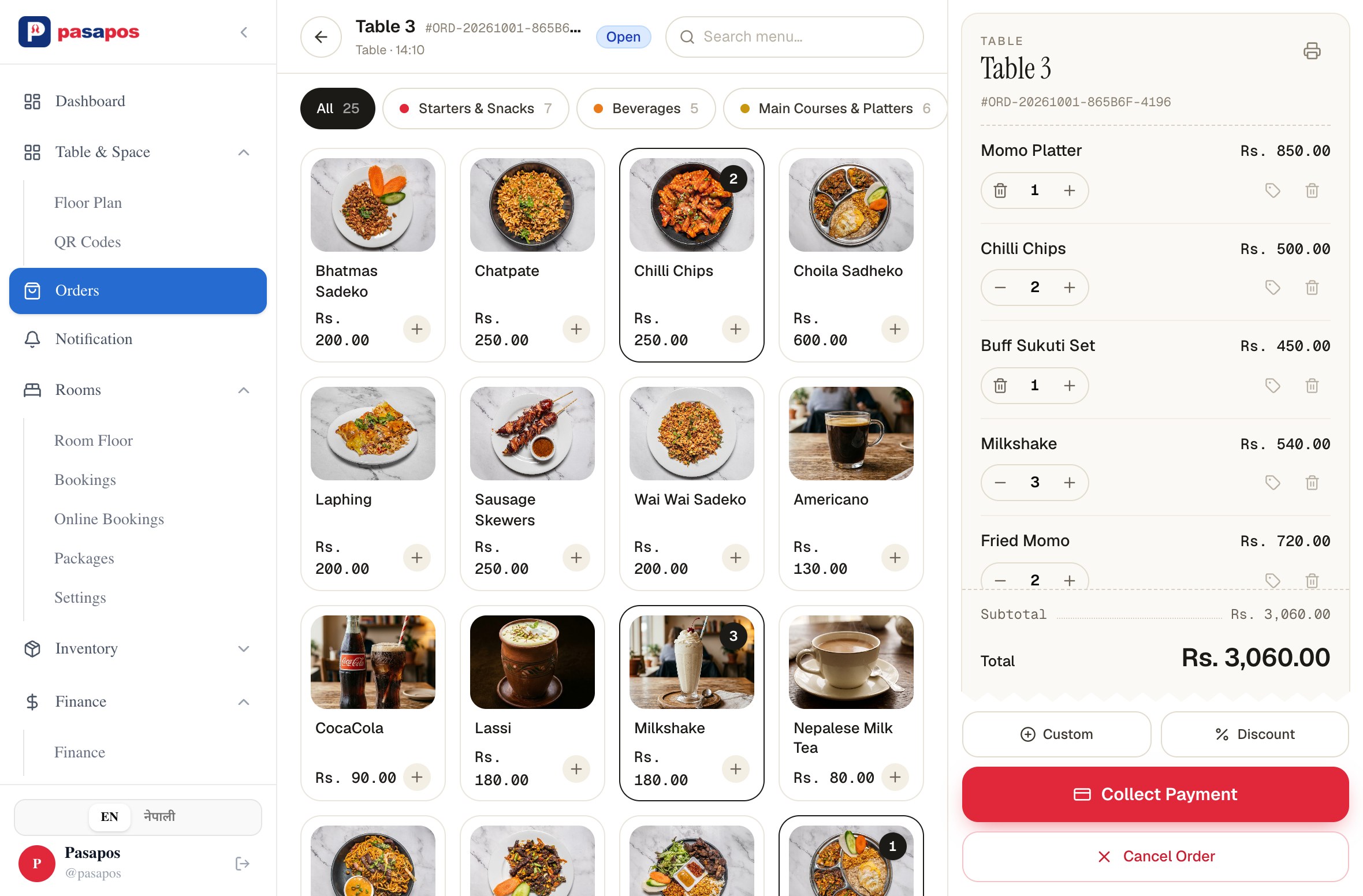
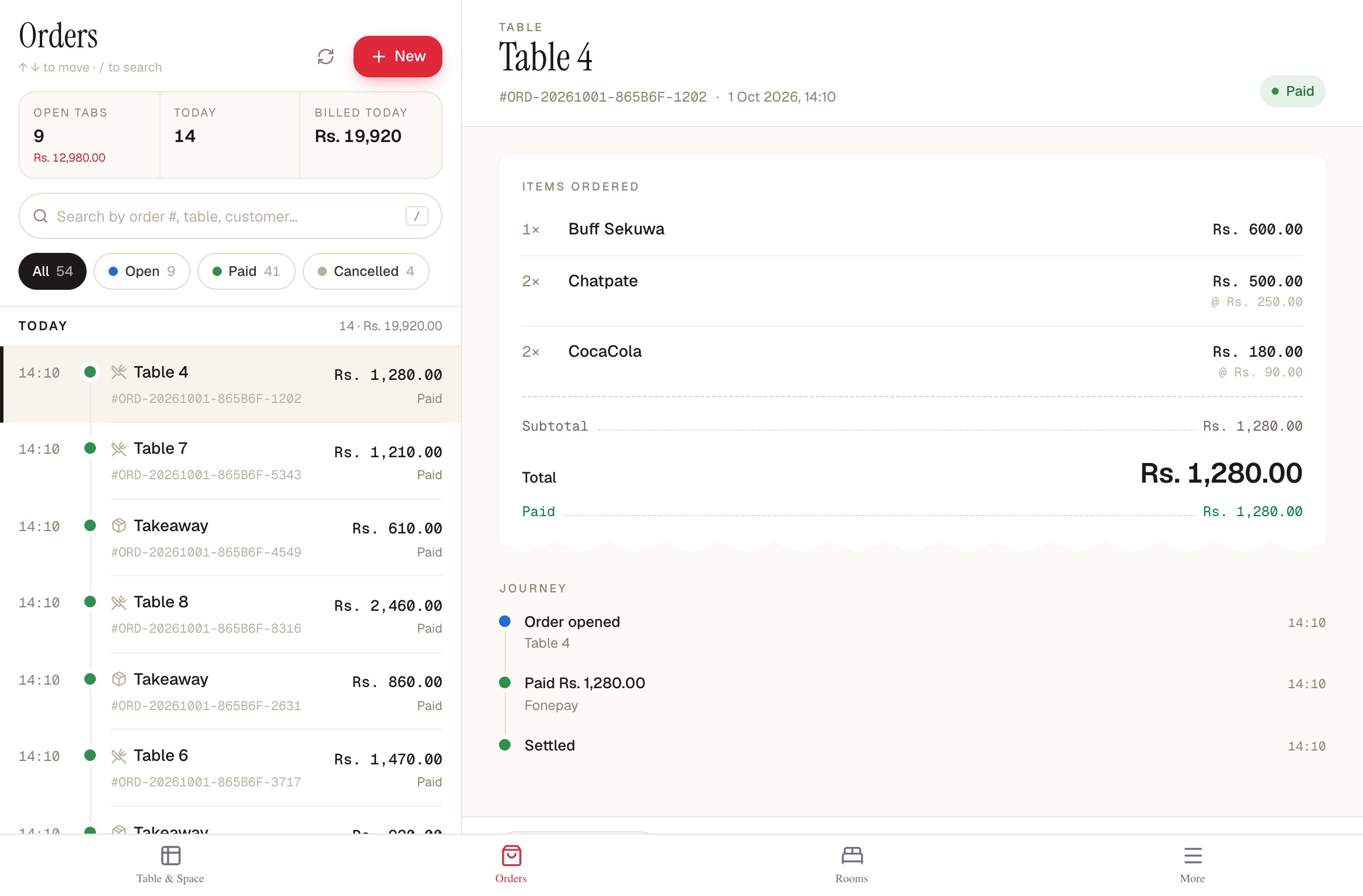
Take cash, card, FonePay, eSewa, or split the payment between them. Once it's paid, the bill is automatically saved with the day's records — ready to view or print whenever you need it.
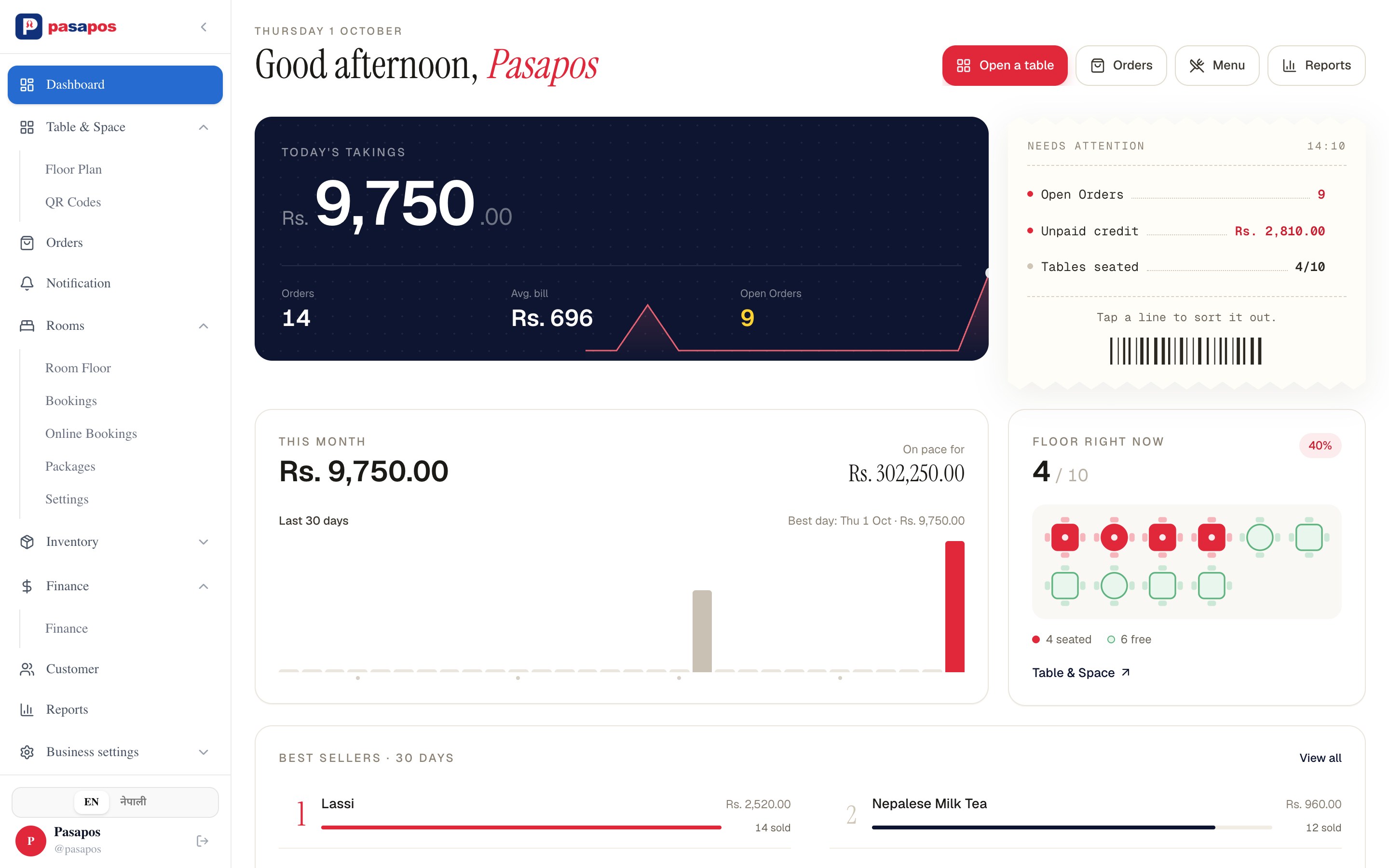
Open the app and see your shop at a glance — today's sales, open orders, unpaid bills, busy tables and what's selling. Everything you need to know, without doing the math yourself.
 1234
1234No new machines. No complicated setup. Open Pasapos in a browser and your team can take orders, manage tables, collect payments and check the day's numbers — wherever they are.
Switch the whole app between English and नेपाली from the sidebar. Dish names can be kept in both, so the kitchen and the customer read the same bill.
Choose the plan that fits your shop today. Every plan is billed monthly in Nepali rupees, with the features clearly laid out. Start small and move up whenever your business needs more.
Rs.999/mo
about Rs. 33 a day
Perfect for small restaurants: core POS, table management, and basic reporting.
Rs.1,499/mo
about Rs. 50 a day
Full-featured for growing restaurants: online ordering, unlimited tables, advanced reports.
Rs.3,499/mo
about Rs. 117 a day
For restaurant chains: unlimited tables, full multi-user, white-label website, priority support.
Rs.8,000/mo
about Rs. 267 a day
PasaPOS is built for businesses that sell, serve, or keep stock. Restaurants, cafés, hotels, kirana stores and retail shops can choose the setup that fits their business. Manage tables and rooms, track stock, scan barcodes, or handle everyday sales — all from one place.
No. Use the phone, tablet or computer you already have. PasaPOS runs in your browser, so there's no special POS machine to buy or complicated installation. If you need printed receipts, you can connect a compatible printer.
Yes. Print a QR tent for each table and guests read your live menu on their own phone — nothing to download. The order reaches your counter as a request, with the table, the items and any notes, and your staff accept it before the kitchen starts cooking.
Keep track of who owes what — without the notebook. Add a bill to a customer's account, record payments as they come in, and send SMS reminders when a balance is due. Their outstanding amount stays updated automatically.
Yes, with the right plan. Manage multiple branches from one account, with separate menus, sales and staff access for each location. Multi-branch access is available on selected plans.
Yes. Give each team member their own login and access. Staff can use the parts of PasaPOS they need for their role, while you keep control of the business from your account.
Yes. Your dashboard keeps the important numbers in one place. See today's sales, open orders, unpaid bills, table activity and other key information without going through every bill manually.
आजै सुरु गर्नुहोस् — पहिलो बिल आजै काट्नुहोस्।